

Pricing, regulations, and entry requirements may change — confirm current details with operators directly. Check travel.state.gov before booking international travel.
The first time I “stood” above a city in VR, I understood why people want this technology to replace travel. Then I took the headset off and smelled my apartment coffee, not sea air or rain on stone. That is the whole truth. VR travel can help you plan, compare, rehearse, and access places you cannot reach easily. It does not replace arrival. Not even close.
When VR travel genuinely helps
VR is strongest before the trip, not instead of the trip. Its best use is pre-memory: a way to test scale, mood, proximity, and terrain before you spend real money. I like it for researching neighborhoods, checking whether a hotel’s “walkable” location is actually pleasant, and deciding whether a destination feels like a three-night place or a seven-night place.
The most practical version is not cinematic at all. It is reconnaissance. In Wander, you can move through Street View-style environments, bookmark places, use search, read location context, and jump through older imagery in some locations. That is less glamorous than standing on a CGI mountain, but more useful when you are trying to decide between two hotel neighborhoods and one has a six-lane road between you and dinner.
VR also helps mobility-limited travelers. That is not a consolation prize. If stairs, long flights, chronic pain, recovery, age, caregiving, or disability make a place difficult, a good VR experience can offer access, orientation, and dignity. No, it is not the same as being there. It is still better than travel media pretending everyone can hike, climb, squat, stand in heat, or walk for four hours.
Museum tours are another honest use case. During closures, renovations, overbooked exhibitions, or weather days, VR can offer structure and context without fighting crowds. I would not choose it over a quiet gallery morning in person, but I would choose it over not seeing the collection at all.
Pre-trip language immersion is underrated too. I do not mean becoming fluent in a headset while pretending to order espresso from an avatar. I mean getting used to the sound of a place: station announcements, basic phrases, menus, greetings, the rhythm of a language before your jet-lagged brain has to perform. Pair that with a real language app and a few audio walks, and the first day feels less sharp around the edges.
The use cases that hold up for me are clear:
- Pre-booking research for neighborhoods, roads, scenery, and hotel context.
- Mobility-limited access to places that would be physically hard or impossible.
- Museum and landmark tours during closures, crowding, bad weather or distance.
- Language and cultural warm-up before the real trip.
- Family planning, especially when kids need to understand what a trip will feel like.
That is where VR earns its keep. Not by making you feel virtuous for staying home. By making the trip smarter when you do go.
When VR disappoints — and why it always will
Here is where the marketing gets silly. VR does not replace travel because travel is not just visual information. It is heat, awkwardness, smells, fatigue, timing, language mistakes, weather, other people, food texture, a wrong turn, a good taxi driver, a bad pillow, and the strange little moment when a place stops being a plan and becomes your day.
VR can show you the lagoon. It cannot tell you whether the air smells like salt, diesel, flowers, sunscreen, wet rope, or lunch. It can show you a street. It cannot show whether you feel comfortable walking there after dinner. It can show you a museum room. It cannot replicate the hush of real people lowering their voices because the art has changed the temperature.

The disappointment comes when VR is sold as substitution. It is not. It is planning, previewing, learning, access, and sometimes entertainment. The moment a headset tries to convince me I have “done” a place, I stop trusting it.
There is also the physical friction. Headsets are heavy enough to notice. Some people get motion sick. Some content looks old. Some controls are clumsy. Some “travel” apps are really just flat photos wrapped around your head. Premium hardware does not rescue thin content. A luxury headset with mediocre travel scenes is still a mediocre trip in expensive plastic.
And then there is the loneliness. A real trip includes friction with the world. VR removes much of that friction, which is partly wonderful and partly the problem. No line, no weather, no language embarrassment, no waiter, no street crossing, no sound bleeding from the next table. It can be calmer. It can also be thinner.
Meta Quest 3 vs Apple Vision Pro for travel planning
If you are a tech-curious American luxury traveler considering Apple Vision Pro, my blunt answer is: do not buy it for travel alone. Buy it if you also want spatial computing, movies, productivity, Apple ecosystem experiments, and the best-feeling version of this category right now. For travel planning only, it is overkill.
Apple positions Vision Pro as a spatial computer, not a travel toy. The hardware is elegant, the displays are rich, the interface feels expensive, and Travel Mode is made for movement on planes, trains, buses and cars. But that does not mean the travel-content library justifies the purchase by itself. Vision Pro is strongest when it becomes part of your broader digital life, not when it is asked to be a private tourism booth.
Meta Quest 3 is the more practical VR travel entry point. It is cheaper, has a broader consumer-VR app habit around it, and supports travel apps that feel closer to what most people mean by “VR travel.” Meta announced that as of April 19, 2026, Quest 3 512 GB pricing moved to $599.99, while Quest 3S moved to $349.99 for 128 GB and $449.99 for 256 GB, according to Meta’s 2026 pricing update. Less money, less preciousness, more casual experimentation.
The Quest 3 is the headset I would recommend for a traveler who wants to test VR planning without turning it into a lifestyle purchase. The Vision Pro is the device I would recommend to someone who already knows they want Apple’s version of mixed reality and can treat the travel use case as a bonus. Different budgets, different expectations.
The Vision Pro also has the luxury problem: because it costs so much, every experience feels like it should be exceptional. That is unfair to the content, but understandable. A $10 app feels charming on Quest. On Vision Pro, you may start judging it like room service at a five-star hotel.
Google Earth VR: still the best free wonder machine
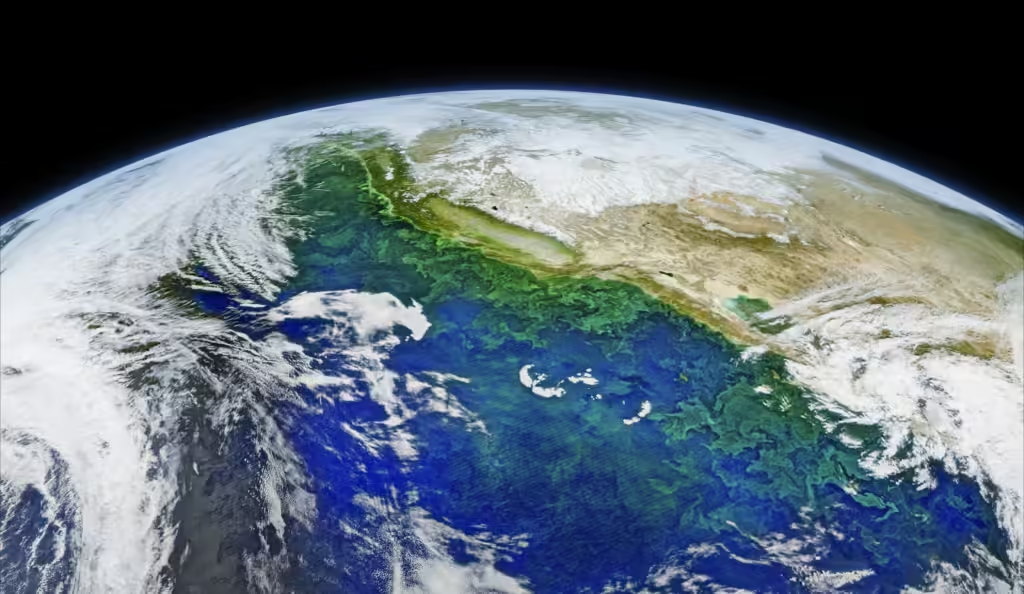
Google Earth VR remains the thing that best explains why VR travel seduced people in the first place. Google’s own launch language was wonderfully blunt: users could fly over a city, stand at mountain peaks, and soar into space. The company also said Google Earth VR is free on Steam, which makes it one of the easiest ways to understand the category if you already have compatible hardware.
It is not the most polished planning tool. It is scale. You move from a roofline to a mountain range to a coastline to a whole planet, and the brain does that little gasp that maps rarely produce. For destination dreaming, it still works.
For actual trip planning, Google Earth VR is best at macro questions. How close is this city to the water? Does that valley feel enclosed or open? Is the resort really isolated? How does one island sit relative to another? It can help you understand geography before the itinerary gets filled with hotel names and airport codes.
What it does not do well is the small human stuff. Café frontage. Sidewalk comfort. Hotel entrance weirdness. Street noise. That is where Street View-based tools, normal maps, and recent traveler reports matter more. Google Earth can inspire the trip. It should not be the only thing that plans it.
Google Earth VR also shows the gap between spectacle and usefulness. Flying over a city is delightful. Choosing the right arrival neighborhood still requires dull research. A good trip needs both. The swoop and the spreadsheet.
The best VR travel content: Wander, Nat Geo, Tahiti
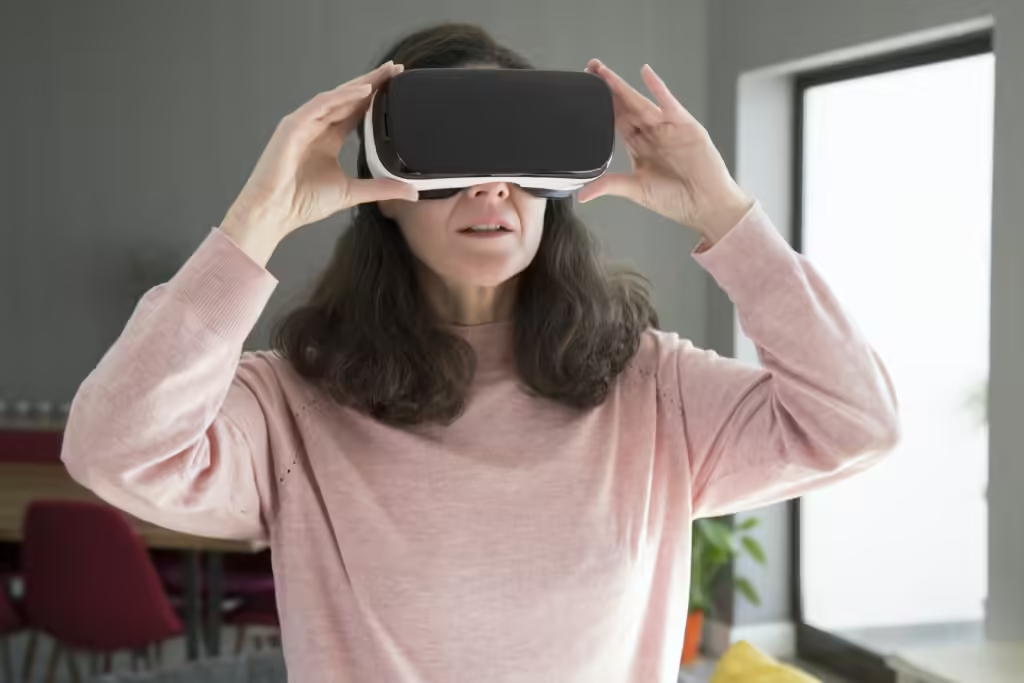
Wander on Meta Quest is the app I would start with because it is useful in the most ordinary way. It uses Google Street View data, but Meta’s listing is clear that it is not an official Google product. The appeal is movement, search, bookmarks, speech recognition, Wikipedia context, and historical jumping. Not glossy. Useful.
Wander is good for pre-trip decisions. I use it the way I use a hotel lobby at 5 p.m.: to sense traffic, light, frontage, distance, and whether the brochure is being cute with adjectives. A resort may be “minutes from town.” Wonderful. Which minutes? On what road? Through what kind of sidewalk situation? Wander can help expose the gap between marketing and ground reality.
National Geographic Explore VR is better as an experience than a planning tool. It sends you to Antarctica and Machu Picchu-style reconstructions with tasks, wildlife, and a family-friendly sense of expedition. Not a booking tool. A mood-setter. A way to make kids or skeptical adults understand why a destination has pull before you ask them to sit through a real itinerary conversation.
Tourisme VR Tahiti is the interesting luxury case because French Polynesia is the kind of destination people dream about in images before they understand the logistics. VR can help you compare lagoon scale, overwater-bungalow fantasy, cruise versus resort mood, and the difference between “remote” and “inconvenient.” Useful, especially in a year when reporting from Tahiti pointed to hotel inventory reductions during parts of 2026 and more cruise capacity. The headset can show appetite. It cannot solve availability.
This is where a luxury traveler should be careful. VR content can make everything feel accessible and frictionless. Real French Polynesia includes transfers, flight timing, weather, boat schedules, cruise crowding, hotel renovations, reef etiquette, costs, and travel-health planning. The fantasy is blue. The trip is logistics.
For a broader tech setup, VR belongs beside—not above—the normal tools I use in my best travel apps 2026 stack: maps, money apps, flight tracking, translation, and offline documents. VR helps you picture. The rest helps you function.
Pre-trip planning with VR: the workflow that works
The mistake is putting on a headset and “seeing what happens.” That is entertainment, not planning. For trip planning, I use VR with questions. Where should I stay? Is the waterfront actually walkable? How does the train station sit relative to the old town? Is this museum worth a private guide? Does the resort isolation feel peaceful or trapped?
My VR planning workflow is simple, and not very glamorous:
- Start with normal research: flights, advisories, weather, budget, and hotel shortlist.
- Use VR to inspect two or three neighborhoods or major sights, not the whole country.
- Check routes in normal maps afterward, because VR can distort distance and effort.
- Compare recent reviews, especially for construction, closures and crowding.
- Finish with real-world requirements: visas, vaccines, insurance, transfers, and cancellation terms.
Health planning is a good example of where VR cannot help. The NHS travel vaccination guidance says travelers should ideally see a GP or private travel clinic 6 to 8 weeks before departure, and some destinations require formal proof of vaccination. A headset cannot compress a vaccine schedule because the waterfall looked persuasive.
VR is also useful for choosing not to go. That may be its least glamorous value. Sometimes a place looks wonderful but the approach, terrain, crowd pattern, or room location feels wrong for your trip. Better to discover that at home with coffee than after a nonrefundable deposit.
For road trips and national-park-style travel, VR can help preview scale but not road fatigue. If you are planning something landscape-heavy, pair headset scouting with the practical pacing rules from my road trip planning guide 2026. Virtual distance is cute. Real distance eats lunch plans.
Mobility-limited travel: where VR earns its keep
This is the part of VR travel that deserves less mockery and more attention. For people with limited mobility, chronic illness, pain, immune concerns, recovery timelines, caregiving responsibilities, age-related restrictions, or anxiety around difficult terrain, VR is not a gimmick. It can be access.
I dislike the phrase “armchair travel” when it is used dismissively. A chair can be a medical reality, not a lifestyle failure. If VR lets someone visit a museum during renovation, preview a trail before attempting it, see a destination they cannot physically reach, or share a place with family across distance, that has value. Not replacement value. Human value.
VR can also lower uncertainty before a real trip. A mobility-limited traveler can inspect station entrances, pavement texture, hotel approaches, steps, slopes, and distances in a way that brochure accessibility language often fails to capture. It is not perfect. Imagery can be old. Angles can miss the very thing you need. But it gives more information than “accessible room available” and a hopeful sigh.
For older luxury travelers, I can see VR becoming part of advisor-led planning: sit in an office, compare two resorts, preview the walk from reception to room, inspect the dock, understand the hill, then book the property that fits the body you actually have. That is not anti-romantic. That is humane.
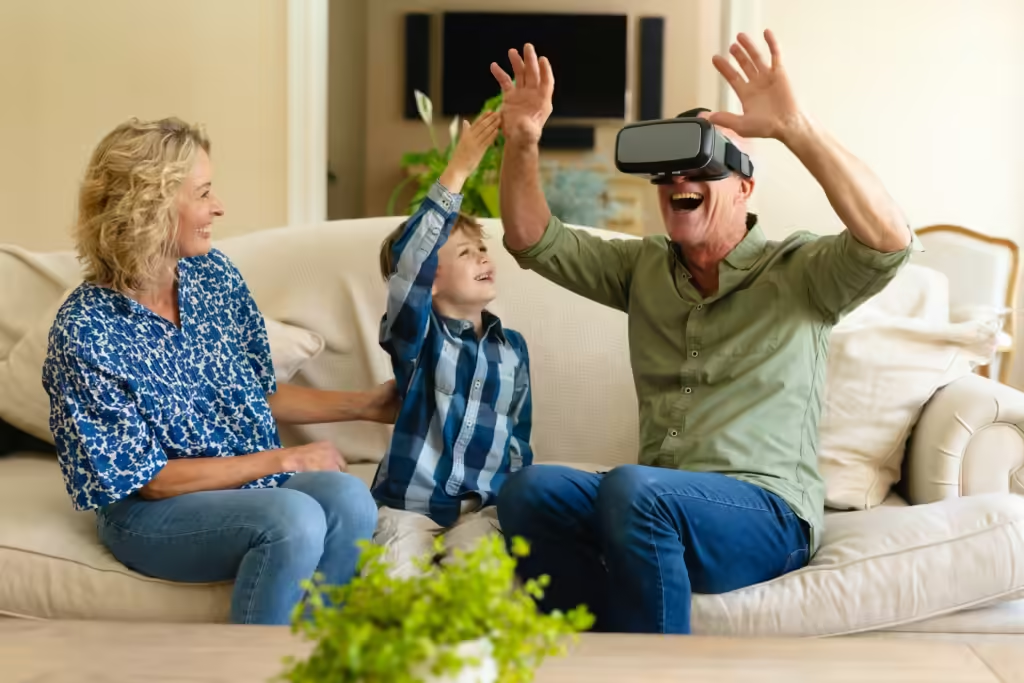
This is also useful for multigenerational trips. The grandparents can preview the terrain. The parents can judge whether the kids will tolerate the transfer. The person who hates boats can see whether “short boat ride” means a polished launch or a wet little punishment. VR will not make everyone agree. It may make disagreement more informed.
The future of pre-trip planning
The future I actually want is not “travel from home.” I want better trip decisions. I want hotel advisors using spatial previews honestly. I want museums offering high-quality access during closures. I want destination boards to show terrain, transit, and neighborhood truth, not just drone romance. I want families to preview whether a trip fits the humans taking it.
What I do not want is VR as another layer of glossy exaggeration. If a tourism board uses VR to hide construction, crowding, unsafe walking routes, inaccessible paths, or weak infrastructure, it becomes the same old brochure problem with a headset strap.
The technology will get lighter, sharper and more normal. That feels inevitable. The question is whether travel content gets more honest. The best future use is not perfection. It is practical preview: what does this place require from my body, my budget, my time, my patience and my family?
For a Vision Pro buyer, my advice is measured. Try a demo. Borrow or test a Quest if you can. Use Wander, Google Earth VR, National Geographic Explore VR, and a destination-specific experience before deciding whether the category has staying power in your life. Do not confuse the thrill of the first hour with a product you will use every week.
VR travel is useful. It can be moving. It can be generous. It can be silly. It can help you book better, avoid mistakes, include people who are often left out, and warm up for a destination before you arrive. But when the plane door opens and the air changes, the headset cannot follow you there. That is still the point.
Five Questions People Actually Ask
Is VR travel worth trying before booking a trip?
Yes, especially for neighborhoods, hotel surroundings, museum previews, mobility concerns, and family planning. Use it as research, not as proof that you have experienced the destination.
Should I buy Apple Vision Pro for VR travel?
Not for travel alone. Vision Pro makes more sense if you also want spatial computing, movies, productivity, and Apple’s broader ecosystem. For travel experimentation, Meta Quest 3 is the saner entry point.
What is the best VR travel app to start with?
Wander. It is not the prettiest, but it is practical for Street View-style reconnaissance, neighborhood checks, bookmarking, and destination scouting.
Does VR replace museum or city tours?
No. It can help during closures, distance, or mobility constraints, but a real guide, real room, and real city still carry texture VR cannot reproduce.
Can VR help mobility-limited travelers?
Yes, genuinely. It can preview terrain, stations, hotel approaches, museums, and destinations that may be physically difficult, while also offering access when travel is not possible.
Where to go next?
- Best Travel Apps 2026 — the practical phone stack that still matters after the headset comes off.
- Travel Technology Balance Guide — the companion piece on when to use tech and when to put the phone away.
- Luxury Travel 2026 — the broader framework for making expensive trips feel deliberate, not overbuilt.


